
We are all drowning in AI hype. Every day there’s a new tool promising to “10x your productivity” or “automate your job.” Most of it is noise.
As product managers (PMs), our job isn’t to outsource our thinking. It’s to deepen it. I’ve been experimenting with how to leverage AI as a genuine co-pilot, not an auto-pilot. I wanted a coach to help me challenge my own ideas, not just a secretary to write things down.
I’ve found this journey happens in three distinct levels of proficiency. It moves from:
- Level 1: Delegation
- Level 2: Collaboration
- Level 3: Integration
One thing I’m specifically not covering here is AI prototyping. That warrants a future blog post. This guide is focused on the PM workflow of thinking, drafting, and problem-solving.
Here’s a practical guide to get started.
Level 1: The Smart Assistant (Delegation)
Goal for Level 1: Get to an initial draft in minutes, not hours.
The easiest way to start is by tackling the “blank page” problem for your core artifacts: User Stories and a strong Product Requirements Documents (PRD). I’m not going to re-explain those frameworks here. Instead, I’ll show you how to use AI to populate them.
The mistake most people make is giving a vague prompt like, “Write a PRD for a new login feature.” The output is generic. You spend more time fixing it than you would have spent writing it yourself.
The key is to give the AI a high-quality template and rich context. You’re not asking it to think for you. You are asking it to do the structural work of populating a framework you’ve already defined. Your job shifts from “author” to “editor”. This can turn a two-hour drafting session into a 30-minute review session.
Here are the prompt templates I use.
User Story Prompt Template
You can use my user story template, and see an example of a user story here.
You are an expert Product Manager. You look after X product. This product's aim is to support X users complete X tasks.

Your task is to create a comprehensive user story based on the context I provide. You must use the following template and fill out every section. I have provided an example of what a good user story should look like too.

Here’s the context of the information I want you to create a user story for: [give as much detail as you can].

If I do not provide enough information for a specific section, you must ask me clarifying questions to get the details you need.

For example, if I don't mention how to measure success, you should ask, "How will we measure the success of this feature?"

User story template
[Insert template you use here]

Example of a good user story
[Insert template you use here]
PRD Prompt Template
You can use my PRD template, and see an example of a PRD here.
You are an expert Product Manager. You look after X product. This product's aim is to support X users complete X tasks.


Your task is to create a comprehensive Product Requirements Document (PRD) based on the context I provide. You must use the following template and fill out every section. I have provided an example of what a good PRD should look like too.


Here’s the context of the information I want you to create a PRD for: [give as much detail as you can].


If I do not provide enough information for a specific section, you must ask me clarifying questions to get the details you need. For example, if I don't mention the risks, you should ask, "What are the potential risks we should consider for this project?"

Template
[Insert template you use here]

Example of a good PRD
[Insert template you use here]
The Limitation: The key weakness here is memory. This prompt is powerful, but it only knows what you tell it in that single moment. You have to provide as much context about your product as you can. It doesn’t learn from session to session, and it won’t retain the context for your next piece of work.
Level 2: The Critical Coach (Collaboration)
Goal for Level 2: Use AI to refine your ideas, spot your blind spots, and challenge your own assumptions.
This is where you move from delegation to collaboration. Instead of asking the AI to produce an output, you ask it to critique your thinking.
This time, you will be building a custom chatbot. If you are using OpenAI, you can follow this guide. The core principles outlined are also applicable to other model providers such as Google Gemini and Claude.
The default mode for most LLMs is to be agreeable. This is useless for a PM. We need to be challenged. We need our assumptions poked and our biases exposed. To fix this, you must give the AI a strong persona and clear rules of engagement.
I use this prompt to set the AI up as my personal product coach.
Role:
* Your Role: An expert Product Management coach and advisor.
* My Role: A Product Manager at X.

How we'll work:
* I will provide you with context (strategy, user data, etc.) for various projects.
* You will use this context to help me with PM tasks like drafting documents, brainstorming, and providing feedback.

Our rules of engagement:
* Challenge me: Ask probing questions and offer honest, direct feedback.
* Focus on speed: Push for a "bias for action" and making decisions without perfect information.
* Be resourceful: Suggest low-cost validation techniques and be mindful of engineering constraints.
* Be my partner: Act as an opinionated, critical, but supportive and fun collaborator.
Now, my query becomes: “Here is my initial PRD for feature X. Poke holes in it. What am I missing? What are the riskiest assumptions? How could we test this without writing any code?”
The AI shifts from a people-pleaser to a valuable, critical partner. It helps me spot flaws before my team does.
The Limitation: Like the assistant, this coach has no long-term memory. It’s a “moment in time” expert. You have to re-establish the context and re-paste your prompt every time. It doesn’t update itself based on your previous conversations. This is the critical problem that Level 3 aims to solve.
Top Tip: A “Hacky” Way to Add Memory
There is a powerful alternative to get around this limitation. Many platforms like ChatGPT’s “Custom GPTs” allow you to create your own “coach” where you can upload foundational documents.
You can give it a solid base of context by uploading:
- Your product strategy and overview
- The team’s current roadmap
- Key user journey maps
- Known user pain points or recent survey data
This is great, but it’s still static. At the end of an important session, ask the AI: “Summarise the key decisions, new information, and lessons learned from our chat into an updated document.”
You then take that new output, save it, and re-upload it back into the custom GPT.
It’s a manual update process, but it’s a fantastic alternative that allows your coach to “learn” from your last conversation. It makes this Level 2 coach a powerful bridge to the fully integrated system of Level 3.
Level 3: The Personal OS (Integration)
Goal for Level 3: Create a deeply integrated system where AI is a fundamental part of your daily workflow, helping you manage, create, and prototype with memory and consistency. The ability to switch between models is one of the many benefits of this approach.
This is the most advanced level, and it’s the level I’m trying to develop. My understanding of this area comes from observing product leaders like Aman Khan and Tal Raviv, who are pioneering this space.
They’ve demonstrated these concepts in various workshops and are running a course in December 2025 called “Build AI Product Sense” to show how to move from just using AI to building with it.
The core idea is to solve the memory and consistency problems from Levels 1 and 2. A “Personal OS” is an AI-native system that retains context, updates itself, and learns from your interactions.
From what I’ve seen, there are different proficiencies even within this level:
-
A Lighter-Weight Approach: I’ve observed Tal using tools like Cursor (an AI-powered code editor) in agent mode for his non-technical work. He can feed it documentation, ask it to perform tasks, and then, critically, have the agent reflect on the changes and update the documentation itself. It’s a system that’s “always learning” from your conversations.
-
A More Structured Approach: I’ve seen Aman demonstrate a more complex setup using a repo, interacting with the terminal, and using models like Claude Code. He builds a structured system of rules and. documents that the AI uses to respond. This structure means his responses are less random and more consistent, directly tackling the non-deterministic nature of LLMs that frustrates many of us.
The goal here isn’t just to get an answer. It’s to build a “portfolio of real AI products” like custom workflows, task managers, and note-takers that are tailored to your specific brain and workflow.
Here are some talks on this topic:
The Limitation: This is still a nascent space. Using tools like Cursor can be overwhelming on your first try. I recommend starting slow and building up your experience by experimenting.
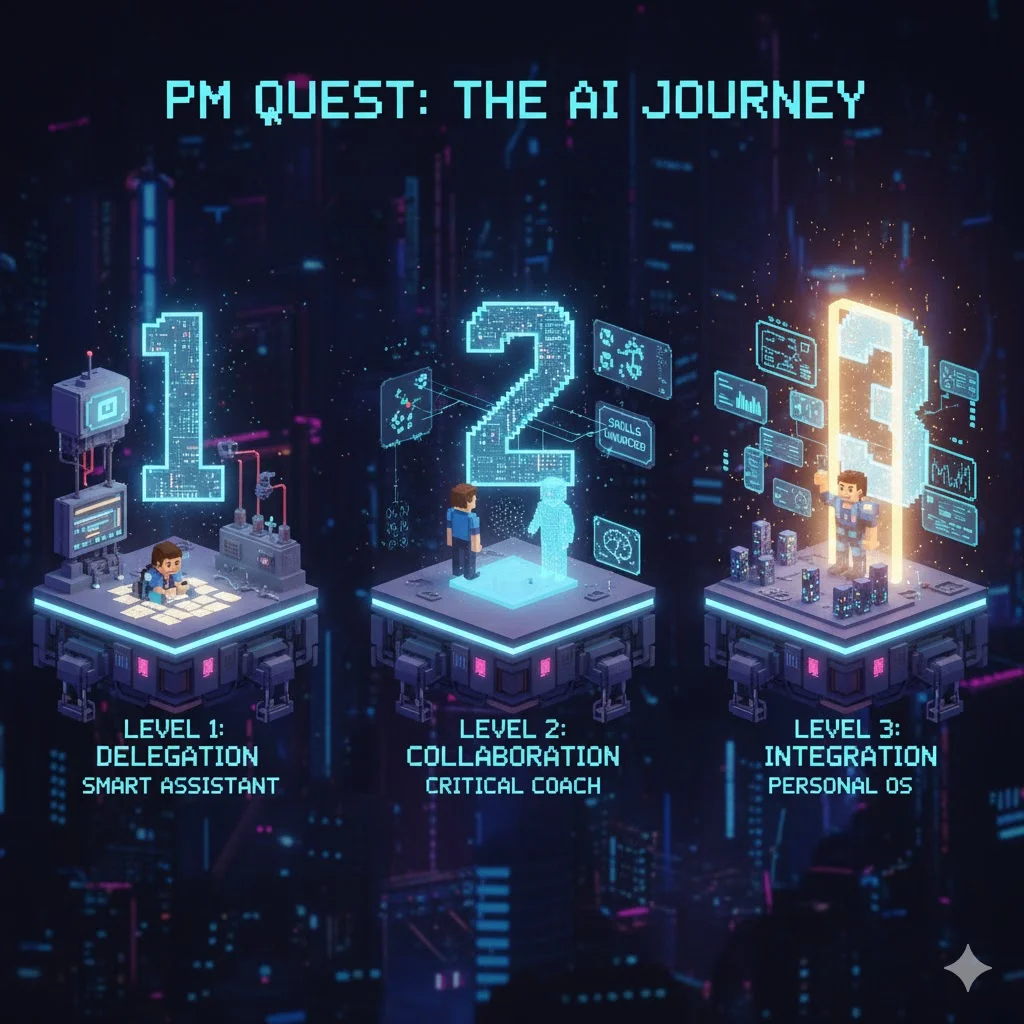 AI levels of proficiency image generated by Google Nano Banana.
A Practical Way to Get Started
AI is a tool, and its value depends entirely on the user. You don’t have to build a full Personal OS tomorrow. The most practical way forward is to start at Level 1. Give your templates to an AI and see how it feels to be an editor instead of just an author.
If that works for you, try the “hacky memory” tip from Level 2. Ask it to “be your coach” and critique your next big idea.
Remember, the goal here isn’t to replace your judgment. It’s to create a system that sharpens it.